

ROManager
Separate spaces. One connected workplace.
A shared view across every workspace
Bring distributed workspaces into a single operational view through a web-based viewer and scheduled image updates.
- 01
Multi-space viewing
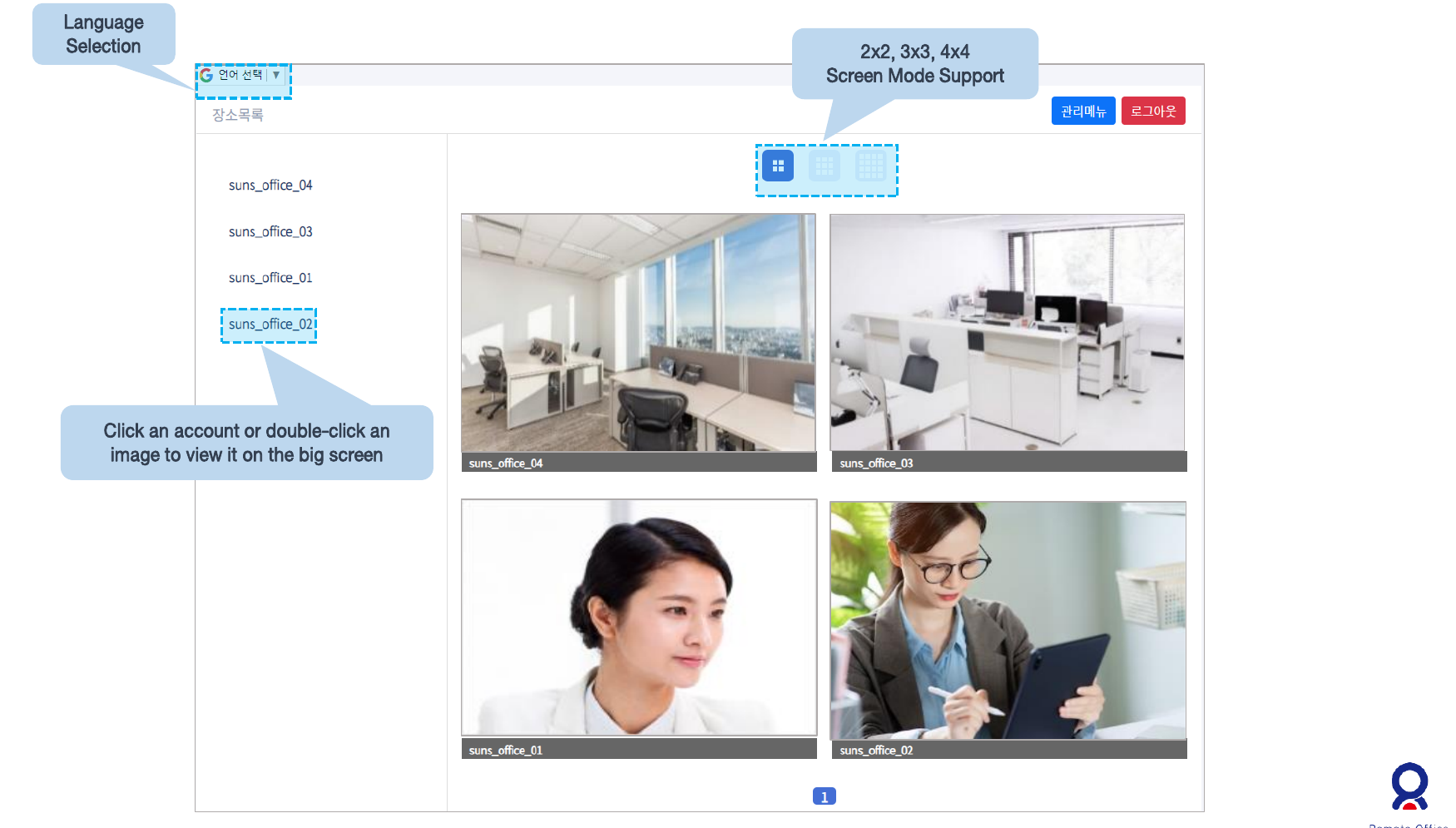
View multiple spaces in 2×2, 3×3 or 4×4 grids.
- 02
Lightweight image transfer
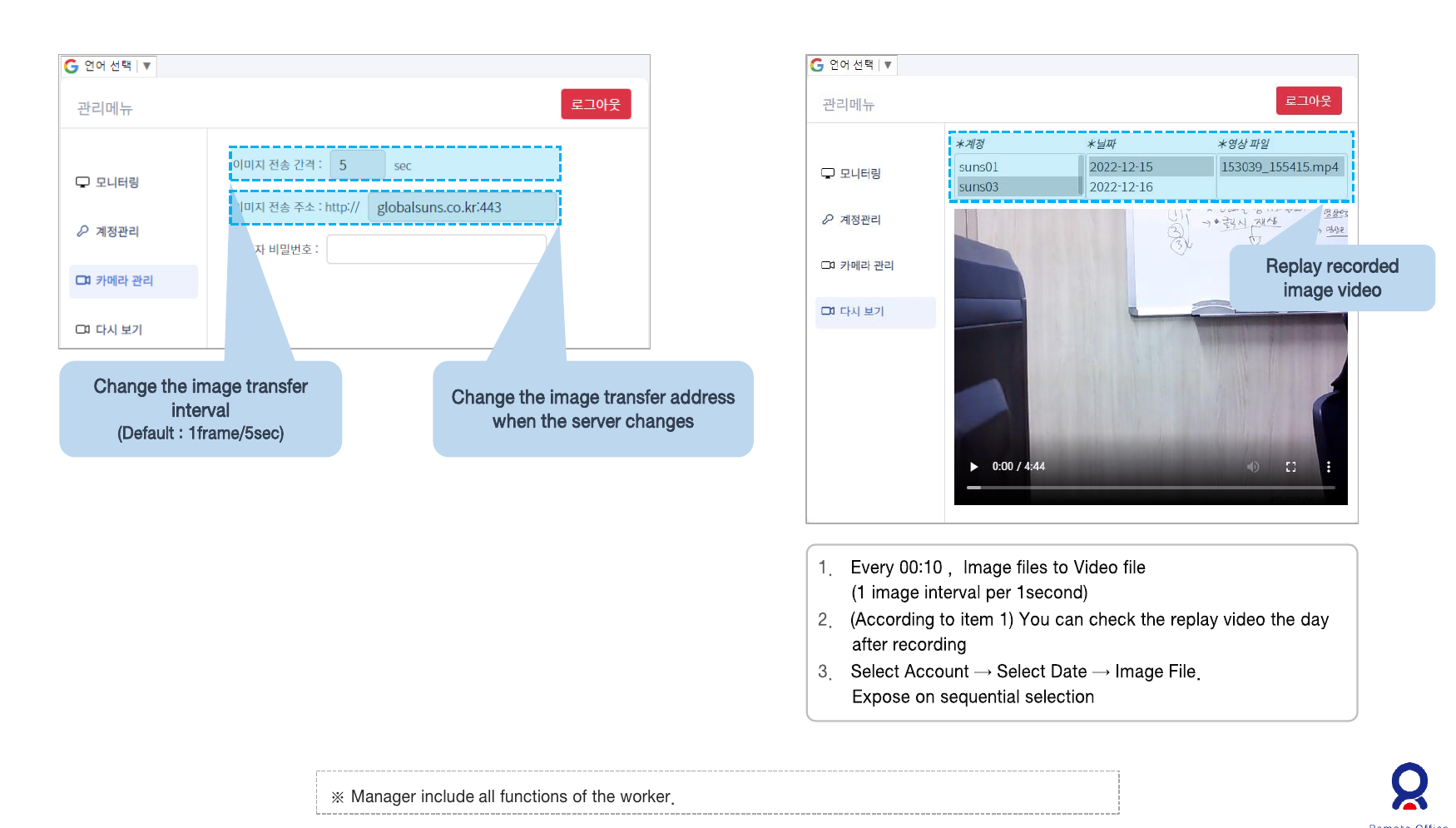
A default interval of one frame every five seconds delivers workspace updates.
- 03
Recording and replay
Convert saved images into video and browse by account and date.
Multiple offices, one screen
The viewer brings remote offices and team members together on one screen. Move from an overview to an individual workspace using grid layouts and enlarged views.
Flexible grid layouts
Choose a 2×2, 3×3 or 4×4 view.
Focus on a space
Select an account or double-click an image to enlarge it.
Language selection
Switch the viewer language from its language menu.
Keep accounts and views organized
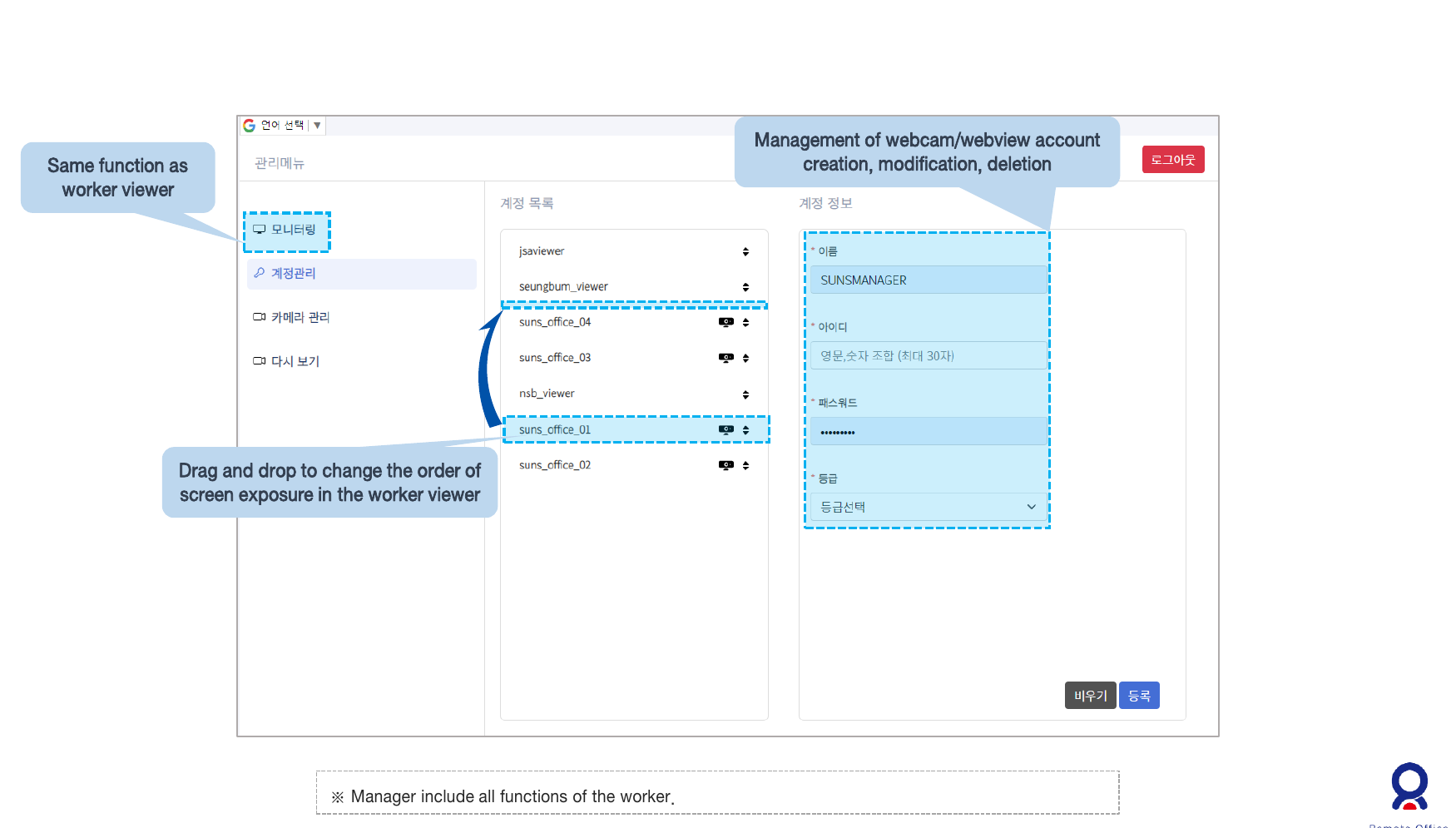
Administrators have worker-viewer features plus webcam and web-viewer account management. Organize accounts and arrange the display order for your operation.
Account management
Create, edit and delete webcam and web-viewer accounts.
Display ordering
Adjust the display order with drag and drop.
Revisit what happened
Review captured images as video. Manage camera settings and the transfer server, then locate recordings by account and date.
Camera settings
Set image transmission intervals and the destination server address.
Video playback
Select converted daily recordings to review previous scenes.
From capture to a shared view
Connect webcams, a server and web viewers to manage remote spaces.
- 01
Capture
Collect workspace images
- 02
Transfer
Send images periodically
- 03
View
Monitor spaces together
- 04
Replay
Review saved recordings