

JTManager
Bring work visibility and working time together.
Visibility, attendance and team communication
Managers review work by department and employee, while team members track their working time and stay connected with colleagues.
- 01
PC & webcam monitoring
Review work screens alongside webcam views.
- 02
Attendance & working time
Review daily attendance, weekly totals and working-time warnings.
- 03
Remote collaboration
Connect department members with voice calls and video meetings.
Current activity and work history in one view
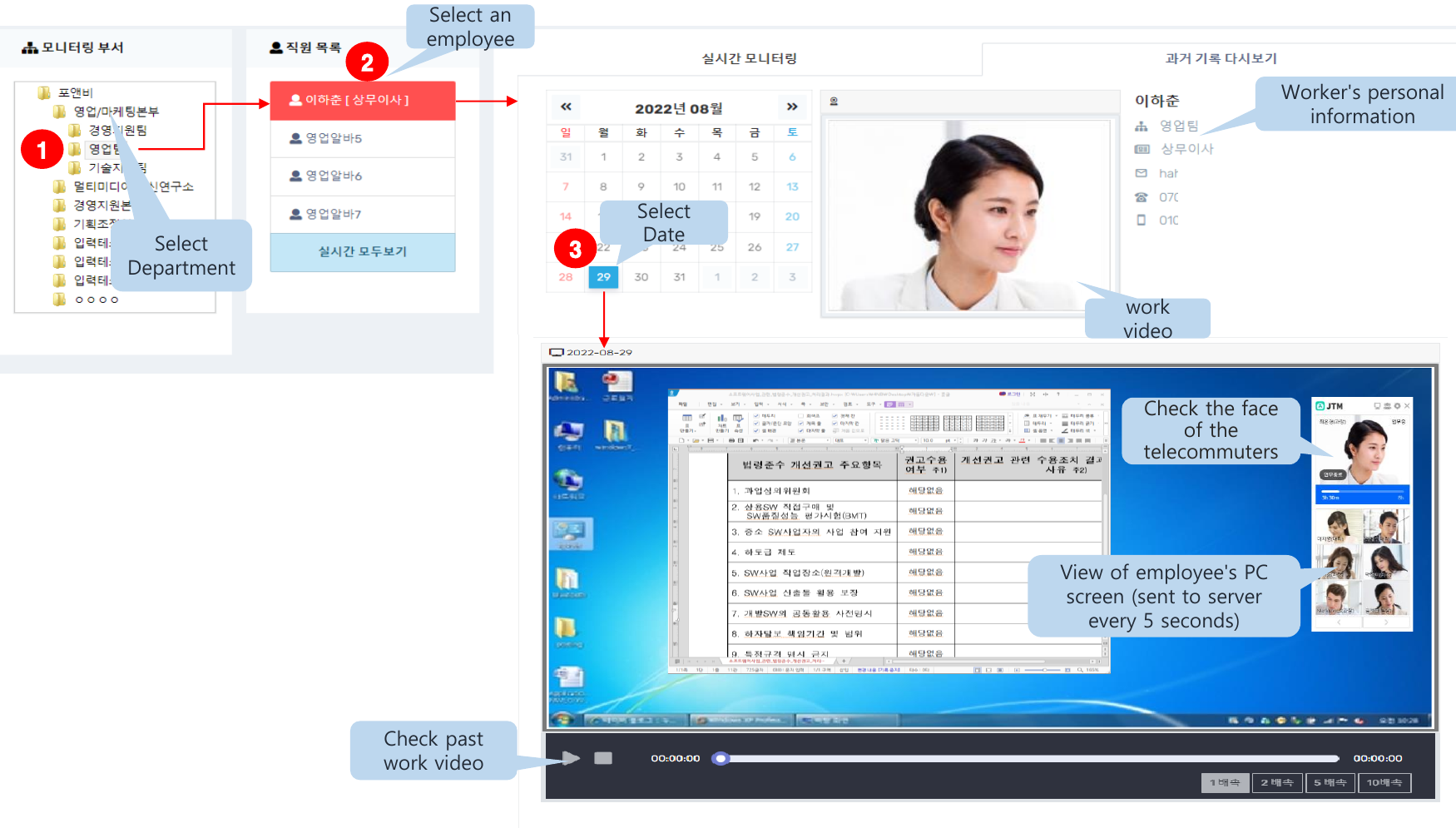
Select a department and employee to view webcam images and PC screens. Date-based records and replay let managers review earlier activity as well as the current view.
Department and employee views
Select the department and employee to review.
Periodic screen updates
PC screen images can be transmitted at five-second intervals.
Date-based replay
Choose a date to review saved work screens.
From daily attendance to weekly totals
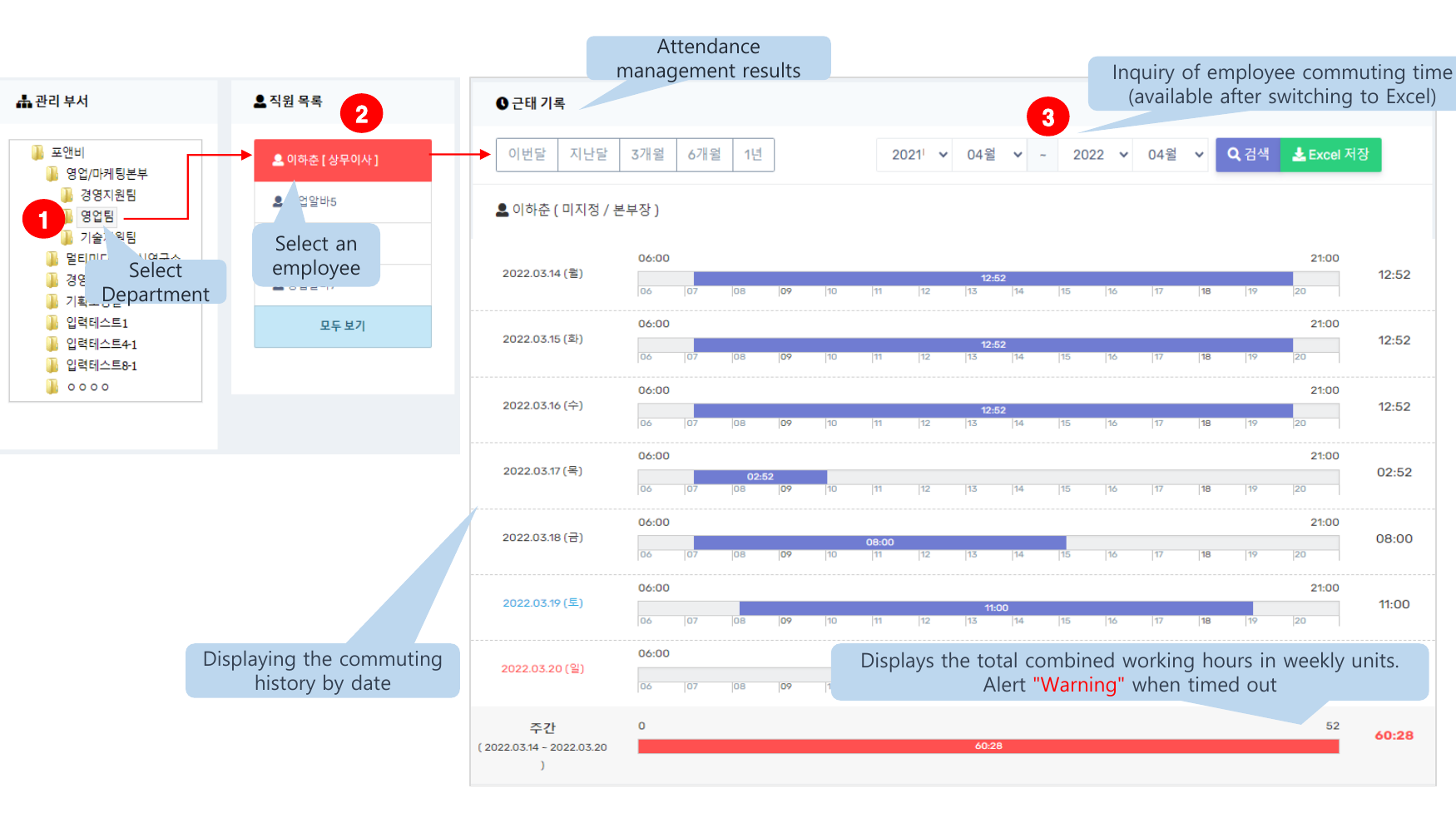
Look up attendance by department and employee. Review clock-in/out records, working hours, weekly totals and time-limit warnings.
Attendance by period
Review attendance and working hours by month or selected period.
Weekly hours overview
Review cumulative working hours and overtime alerts.
Excel export
Save attendance records in Excel format.
Stay connected, wherever the team works
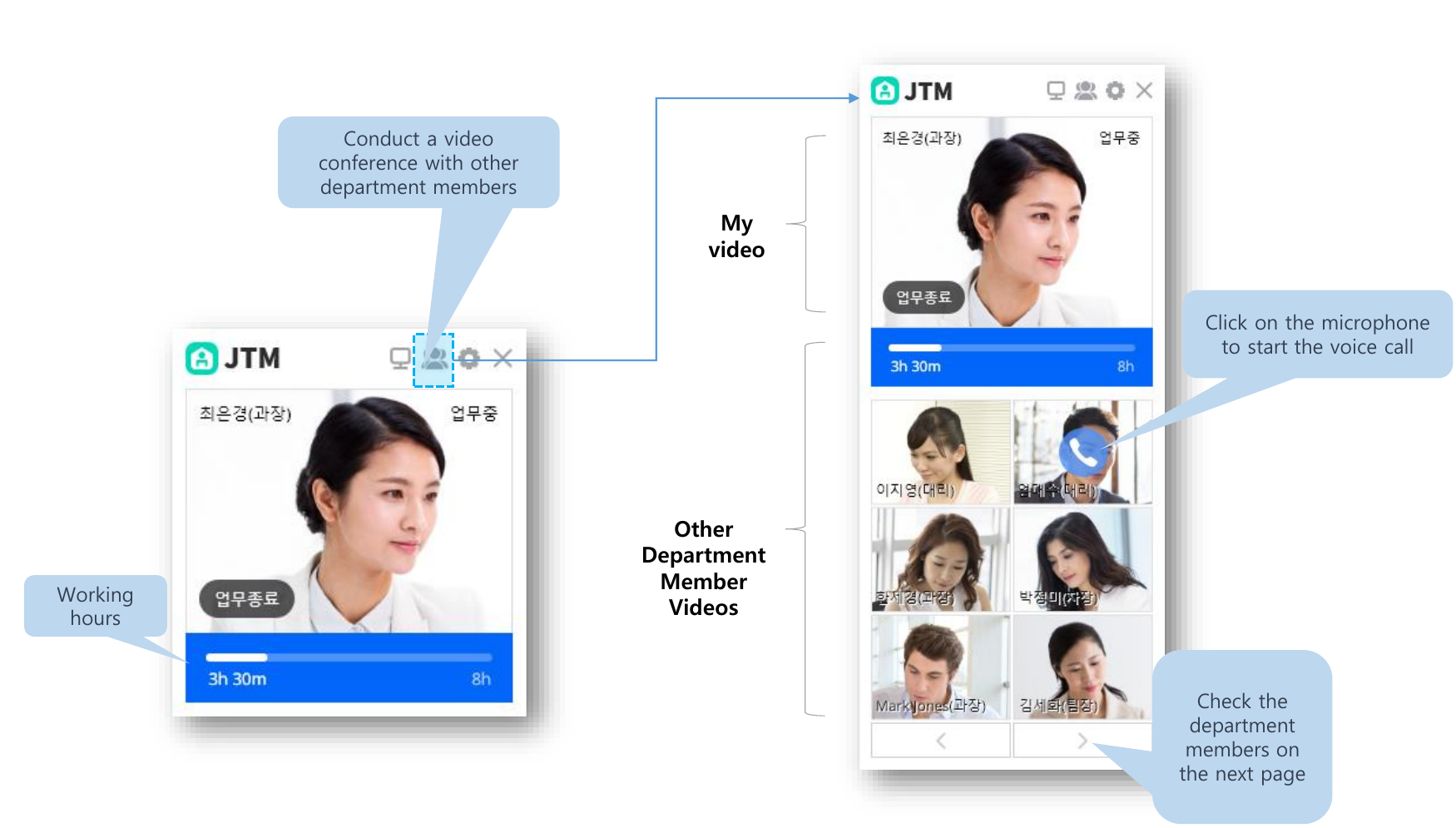
Workers can check their status and working time while staying in touch with colleagues. Start a voice call from the team view or continue the conversation in a video meeting.
Personal work status
See your own video and accumulated working time.
Connect with colleagues
View department members and start a voice call.
Video meetings
Collaborate with remote department members over video.
A more organized working day
Connect the essentials of remote work, from starting a shift to reviewing records.
- 01
Start work
Check work status and time
- 02
Monitor
Review PC and webcam views
- 03
Collaborate
Voice calls and video meetings
- 04
Review records
Attendance review and Excel export