

Video Office
Plan, meet, collaborate and record in one place.
Everything you need for productive video meetings
Connect every stage: create a meeting, invite participants, talk face to face, review the same content and retain a record.
- 01
Meeting management
Manage scheduling, invitations, meeting lists, and access in one workflow.
- 02
Video and audio
Bring participants together with flexible video layouts and audio features.
- 03
Content collaboration
Share documents, screens, web and media content, and record meetings.
Schedule, invite and join
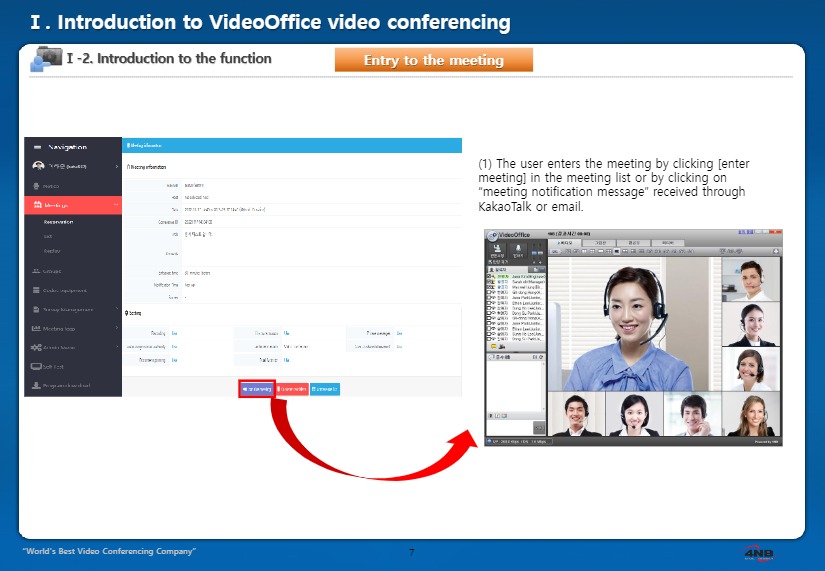
Set the meeting date, title, details, and participants. Attendees can review the meeting information in the meeting list or invitation before joining.
Meeting scheduling
Set the date, title, meeting details and participants.
Participant invitations
The brochure describes sending meeting information by email or messaging.
Find and join
Find meetings by period or title and join from the detail page.
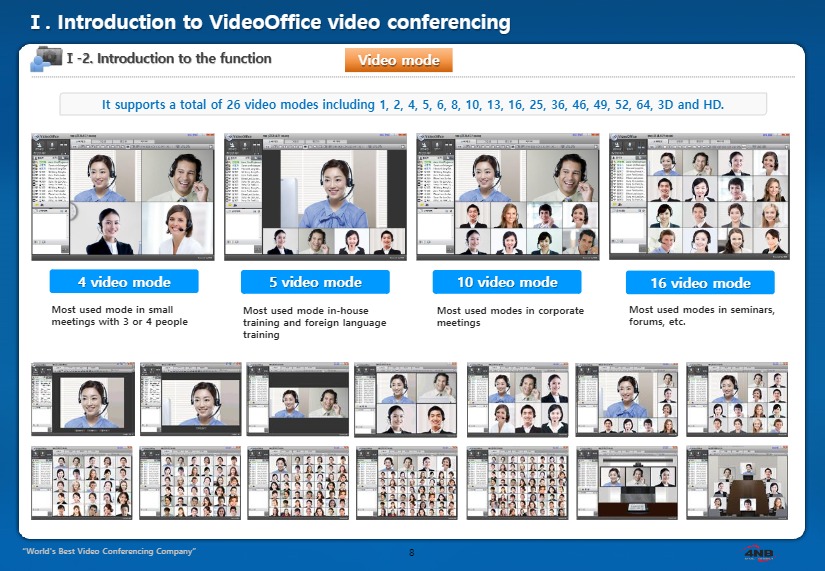
Video layouts for different meetings
Arrange the screen for small discussions, internal training or larger meetings. Presenter-focused and participant views help remote attendees communicate face to face.
Multi-party meetings
See multiple participants together on one screen.
Flexible layouts
Select a layout based on meeting size and presentation style.
Audio support
The brochure includes audio compression and echo-cancellation features.
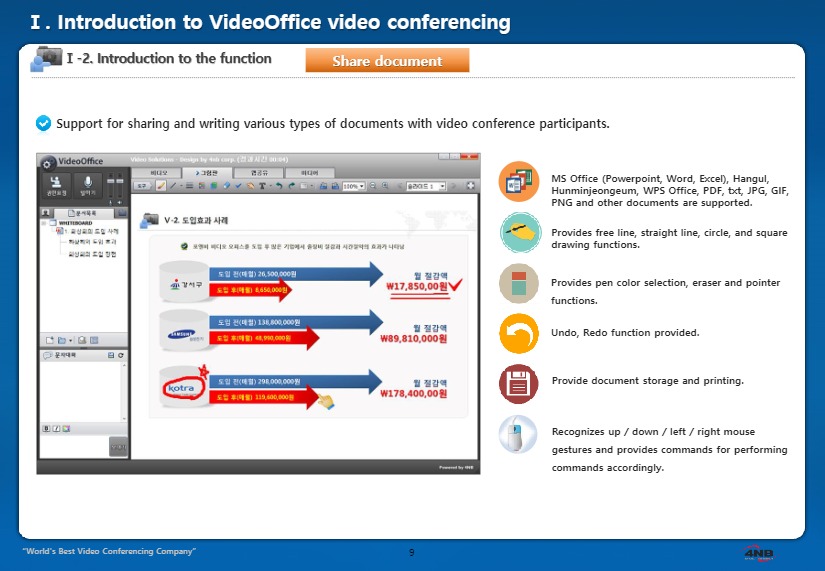
Review and annotate the same content
Share documents with meeting participants and annotate key points. PC screens, web pages, video and audio files can also support the discussion.
Document annotation
Share Office files, PDFs and images, then annotate with lines, shapes and pointers.
Screen and web sharing
Review a participant’s PC screen or web content together in real time.
Media sharing
Play local video and audio files for participants.
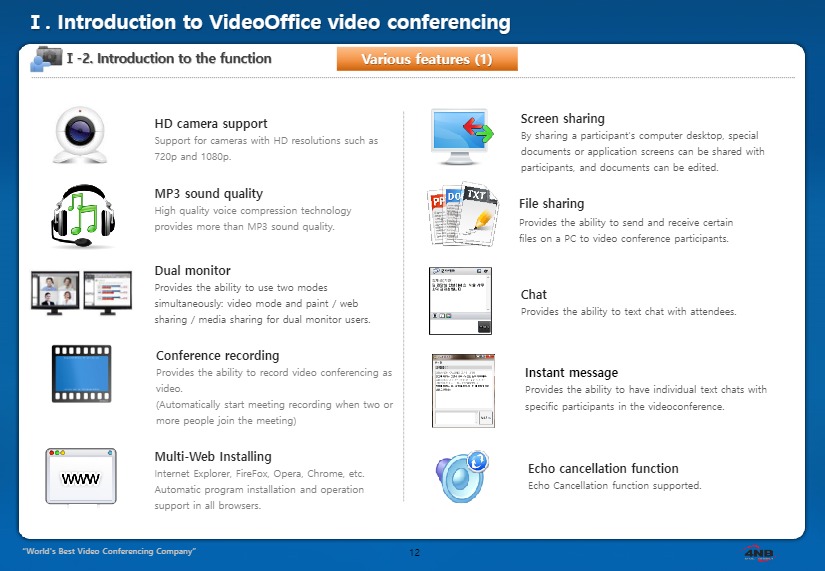
Tools for communication and continuity
Continue collaboration beyond video with screen sharing, file transfer, chat and recording. Check equipment before a meeting and use recordings afterwards.
Screen and file sharing
Review screens together and transfer files needed for the meeting.
Chat and messaging
Exchange additional information through group chat and individual messages.
Recording and self-test
Record meetings and check cameras, headsets and other equipment before joining.
Connect desktops, meeting rooms and mobile users
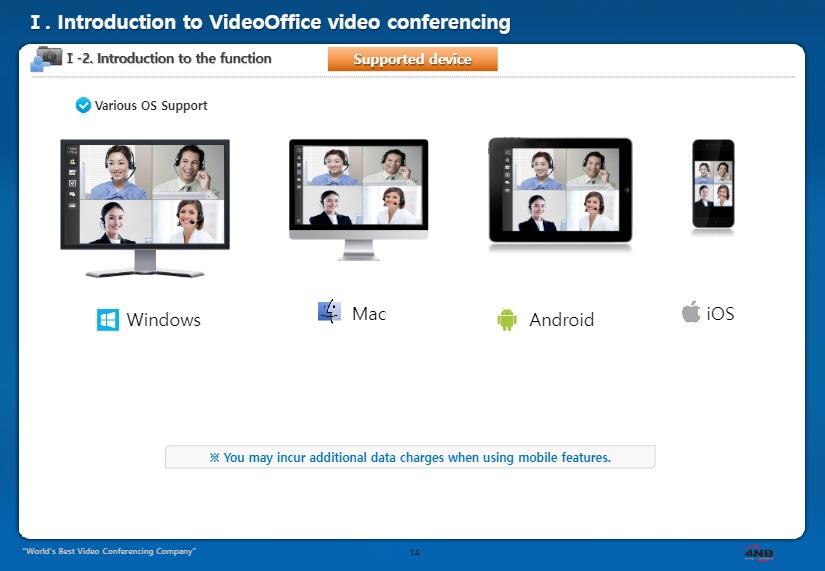
Connect personal office computers, shared meeting rooms and mobile participants in the same meeting. Confirm supported operating systems and devices against the product specification at deployment time.
Personal workspaces
Join from a computer equipped with a camera and headset.
Meeting rooms
Use meeting-room cameras, microphones and an operator PC for group meetings.
Mobile participation
The brochure presents Android and iOS mobile participation environments.
A complete workflow from planning to follow-up
Connect the essential stages of video meeting operations.
- 01
Plan
Set schedule, details and participants
- 02
Invite & join
Find and enter the meeting
- 03
Meet & collaborate
Use video, audio and shared content
- 04
Record & follow up
Review recordings and meeting materials